
March 10, 2026
Draw sub-plots on the map
You can now create and edit sub-plot drawings directly on the map, just like you already could with plots and sectors. IFAP importers continue to automatically import land use drawings.What changed
- Free-form sub-plot drawing on the map, using the same intuitive tool already available for plots and sectors
- In the Kiosk, the sub-plot screen now has a button to switch to map mode
- Sub-plot selection in the Kiosk is now possible directly from the map
Energy consumption tracking
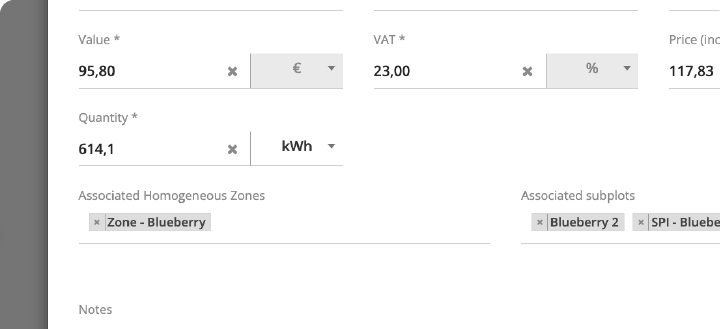
In the Costs section, the quantity unit field now includes kWh as an option. This allows you to track costs and energy quantities directly on the platform, ideal for monitoring your farm's energy consumption.
These records will soon appear in the field notebook as well.
Active substances applied per sub-plot
Similar to what already existed for nutrients, you can now view the active substances applied per sub-plot.
February 4, 2026
.webp?width=670&height=378&name=irrigation-sector-banner-1%20(2).webp)
Irrigation Sectors GeoreferencingIt is now possible to create irrigation sectors by drawing them directly on the map, quickly and easily. This helps keep irrigation areas better defined and makes planning easier—especially when field conditions change.
What changed
- Draw on the map with an intuitive tool to define sector boundaries
- Easily edit boundaries whenever needed
- Better organization of irrigation areas for clearer planning
- In the side menu, click Settings and select Irrigation.
- On this page (in the Sectors tab), you will see the list of existing sectors.
- If you already have sectors and want to draw them on the map, click Details.
- To create a new sector by drawing on the map, click Add New.
- At the top of this window, you will find the Georeferencing section. Click it to view the sector drawing on the map. If no drawing exists, click Drawing Mode to create it.
After it is created, you can edit and adjust the sector whenever there are changes (e.g., line changes, area expansion/removal, irrigation adjustments). Keeping boundaries up to date helps ensure a clearer view of irrigation areas.
November 3, 2025
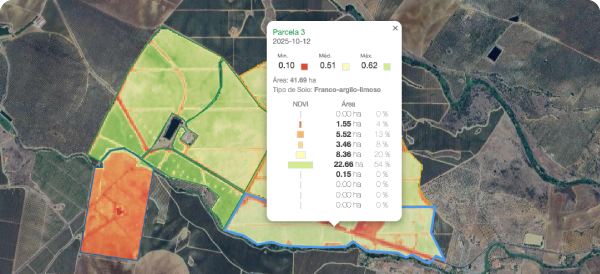
More accurate and easier-to-analyze NDVI
Now with 2.5 m resolution, Wisecrop NDVI offers a more precise reading of vigor variations across your fields.
New charts have also been added:
- Detailed analysis by plot
- Temporal evolution and comparison between plots
Customize work order reports
You can now select which sections to include Activity, Operation, Weather, Products, Details, Labor, Equipment, and Notes, making the document better suited to your needs.
Expanded connectivity
We’re introducing the latest integrations:
- Trapview: intelligent pest monitoring
- Aerobotics TreeFruit: yield and size prediction and analysis
- Plantae: soil, irrigation, and weather sensors
October 22, 2025
Changes to the Sidebar Menu
Starting October 29, the sidebar menu will have a new organization, designed to improve the navigation experience and make it easier to access different features and settings.
What has changed?
 New section: Add-ons
The main change is the introduction of a new section called “Add-ons”, which groups access to the Kiosk, Fruitrack, and Tractors tools.
Settings reorganization
The “Settings” section remains in the menu, but now with a clearer structure that includes Production Units, Weather, Irrigation, Activities, Costs, Workforce, Users, Integrations, and Catalogs.
 |
Note
This update allows you to adjust user permissions in greater detail. We recommend reviewing your team’s permissions in Settings › Users to ensure everyone maintains the appropriate access. |
Benefits of the new organization
- More intuitive navigation - Related features are logically grouped
- Faster access - Fewer clicks to reach what you need
- Cleaner menu - Improved visual structure and less information overload
If you have any difficulty finding a specific feature in the new menu, don’t hesitate to contact our support team, just click here. We are fully available to help you!
October 9, 2025
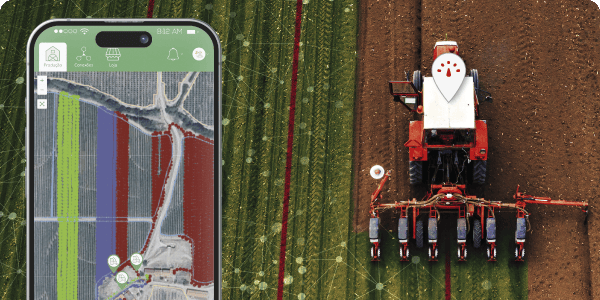
GPS Device for Machinery
We present the new GPS Tracker device, dedicated to real-time monitoring of your machinery. With this solution, you can track the location, movements, and usage of your equipment, increasing security, optimizing routes, and improving the operational efficiency of your farm.
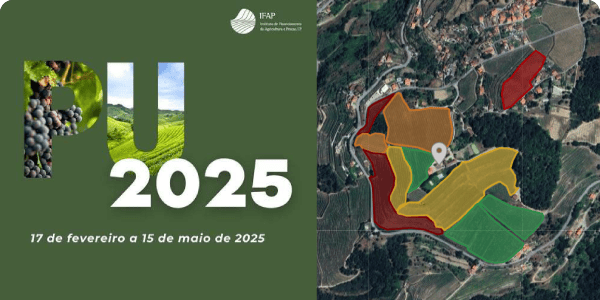
Single Request (PU) PDF Importer
We’ve simplified the process of setting up your Production Unit! The new PU (Single Request) importer allows you to automatically configure plots and land use, saving time and ensuring maximum accuracy in the information entered.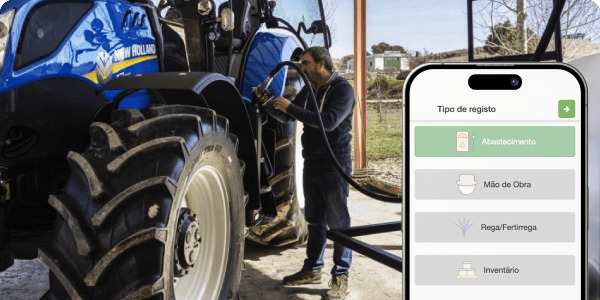
New fuel log flow
The Task Kiosk now includes an optimized flow for managing fuel supplies in agricultural machinery. It allows you to quickly and efficiently record consumption, providing greater control over operational costs.